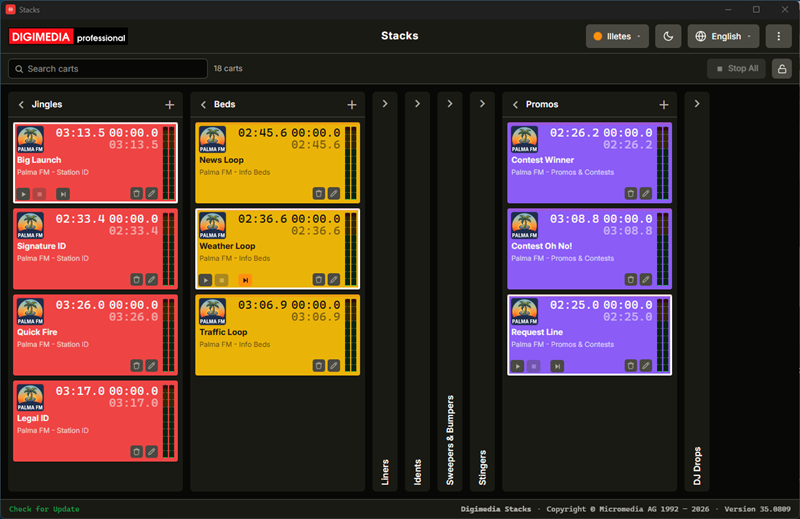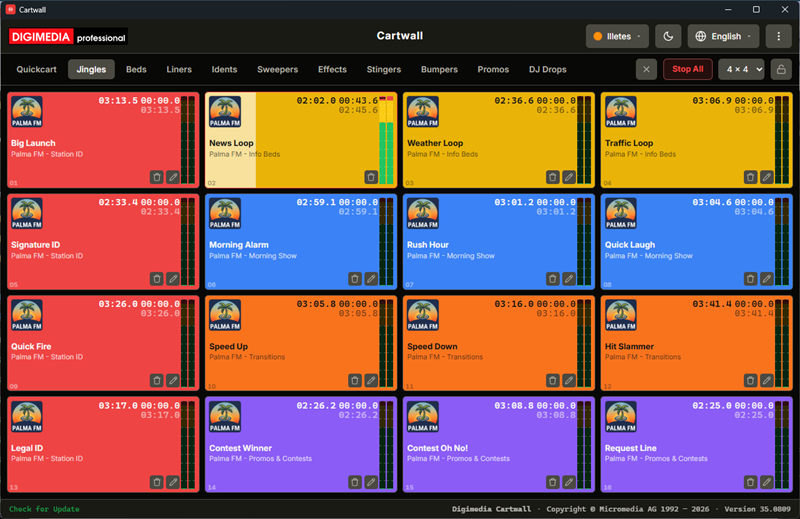
Digimedia Cartwall is a broadcast cart wall: a grid of clickable tiles, each holding one audio file, all playing out over a single sound card you choose. Press a tile and the audio starts immediately — built for the split-second timing of a live show. Up to ten tabs organize your carts into sets like Jingles, Beds, Idents and Promos, and up to sixteen carts can play at once. Available for Windows and macOS.
The wall
The grid comes in six sizes — 3×2, 4×4, 5×3, 6×4, 8×4 or 8×8 — from fewer, larger tiles that are easy to hit during a show to denser grids that put a bigger set within reach. Every tile is numbered from 01, counted left to right and row by row, and shows artwork, a remaining-time counter, elapsed time over total length, title and artist, and stereo level meters — tiles adapt gracefully as they shrink on denser grids. A fresh installation starts with ten tabs — Quickcart, Jingles, Beds, Liners, Idents, Sweepers & Bumpers, Effects, Stingers, Promos and DJ Drops — which can be renamed, reordered or closed like any other tab.
Assigning & playing carts
Drop audio files onto the wall from Explorer, or click an empty tile to pick one — mp3, mp2, wav, flac, ogg, m4a and aac are all supported. Cartwall never copies the file: a cart is a reference to wherever the audio already lives. Click anywhere on a tile to start it, click again to stop; up to sixteen carts can play simultaneously, and Stop All silences everything at once. Carts start instantly regardless of length, and an optional Autocue setting skips leading silence so playback begins at the first audible sound.
Editing & organizing
The edit drawer writes artwork, colour, title and artist straight into the audio file itself, so the tags travel with the track wherever it goes. Hold Shift to drag a tab to reorder the strip, or a cart onto another cell to move or swap it. Locked mode hides the edit and delete icons during a show without affecting playback, and removing a cart always asks first — only the assignment is deleted, never the audio file.
Remote control (UDP)
An external automation system can trigger carts over the network: Cartwall listens for UDP commands by default and accepts one plain-text command per datagram.
| Command | Effect |
|---|---|
PLAYxx | Starts cart xx on the active tab; sending it again restarts the cart. |
STOPxx | Stops cart xx. |
TOGGLExx | Starts it if stopped, stops it if playing — the same as clicking the tile. |
TABxx | Switches the active tab; TAB01 is the first one. |
Configuration
Choose the playout device the wall plays out on, tune Autocue's sensitivity, and set the eight colours the wall cycles through by cell number — a colour saved in a file always wins over the automatic palette. The wall itself lives in library.json, settings in settings.json, both under Micromedia/Digimedia/Cartwall in the platform's application-data folder.
System requirements
| Component | Requirement |
|---|---|
| Operating system | Windows 10 (64-bit) or later; macOS 12 Monterey or later (universal) |
| Display | 1280 × 800 px minimum |
| Audio formats | mp3, mp2, wav, flac, ogg, m4a, aac |
| Sound card | Any Windows- or macOS-compatible output device |